Catalogue in 5 languagesMaker-verified specifications
CategoriesOriginData sources
TRENDEESPT
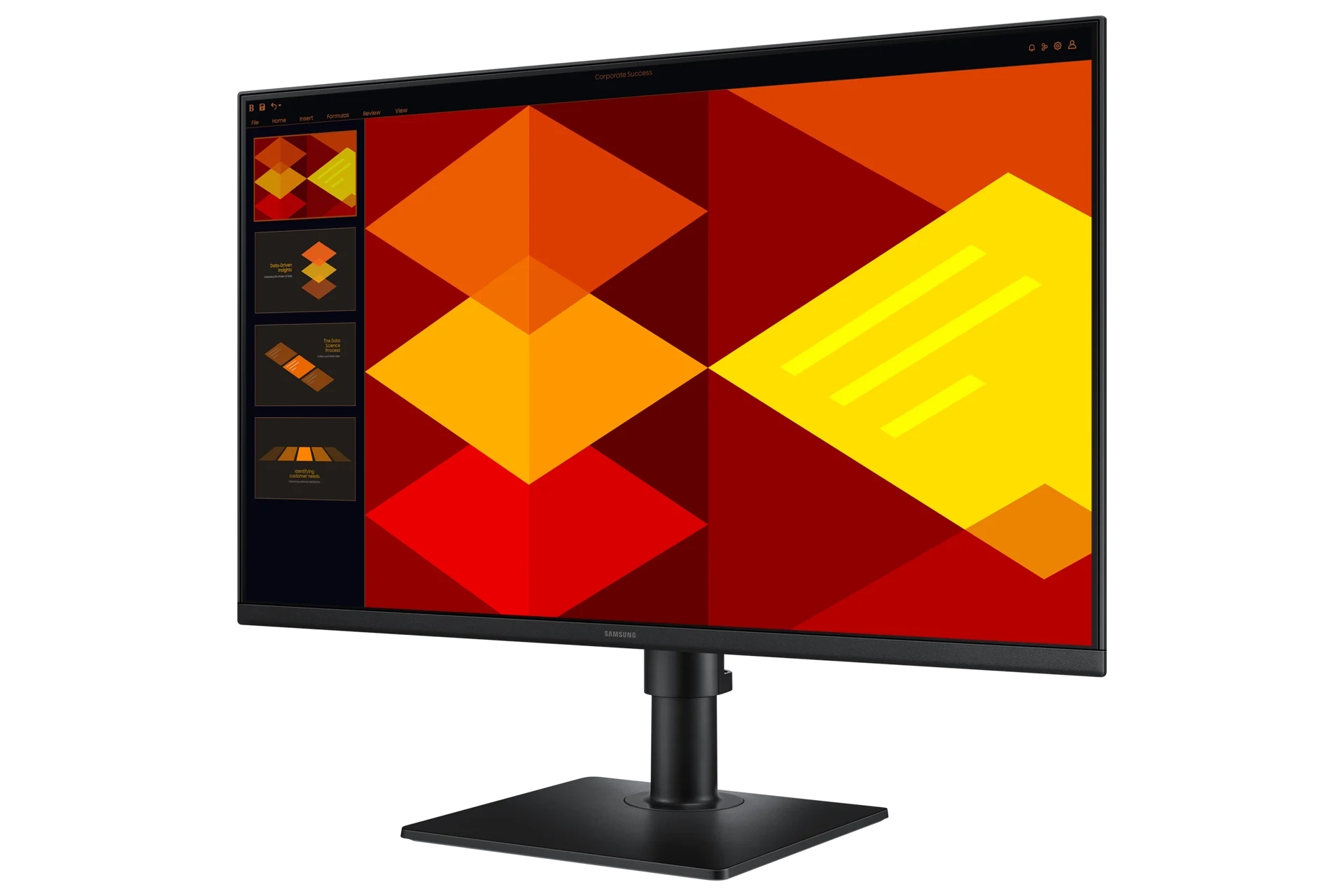
Samsung

Samsung Essential Monitor S4 S40GD

27" • 1920x1080 • 100 Hz • IPS

27"Screen Size
1920x1080Resolution
100 HzRefresh Rate
IPSPanel Type
KACBU

Should I buy it?

Samsung Essential Monitor S4 S40GD
CONSIDER
    Great choice if these matter:
    • An office desk
    • Reading documents and code in portrait orientation
    • Everyday browsing and office work
    Watch out for:
    • 1920x1080 on 27 inches is not sharp for text and detail
    • 72% NTSC colour coverage
    Regret riskLOWlimited data
    Main risks
    • 1920x1080 on 27 inches is not sharp for text and detail
    • 72% NTSC colour coverage
    • No speakers
    The risk level is computed from the release date and verified weaknesses. The confidence score appears only once enough owner reports exist.
    This box relies only on verified specs, the release date and editorial assessment; owner reports join them as they come in. We do not predict prices.
    DisplayResponseConnectivityStandLaunchSpecificationsAlternatives
    Display

    What does the display offer?

    Manufacturer's official technical values.

    DISPLAY

    On a monitor, the panel is what you are buying.

    27 "

    27" — Screen Size · IPS — Panel Type · 1920x1080 — Resolution · 100 Hz — Refresh Rate

    27"IPS1920x1080100 Hz
    27"Screen Size
    IPSPanel Type
    1920x1080Resolution
    100 HzRefresh Rate
    Response

    How fast does it respond?

    Makers put GtG and MPRT figures in the same column; this catalogue records which one it is.

    RESPONSE

    A response time is not a number until it says how it was measured.

    5 ms

    5 ms — Response time · GtG — Response time measurement · Flat — Screen shape

    5 msGtGFlat
    5 msResponse time
    GtGResponse time measurement
    FlatScreen shape
    Connectivity

    Which inputs does it carry?

    Manufacturer's official technical values.

    CONNECTIVITY

    A USB-C port that carries video is not the same as one that charges a laptop.

    —

    2 — HDMI inputs · HDMI 1.4 — HDMI version · 1 — DisplayPort inputs · Yes — Headphone out

    2HDMI 1.41Yes
    2HDMI inputs
    HDMI 1.4HDMI version
    1DisplayPort inputs
    YesHeadphone out
    Stand and ergonomics

    How far does the stand adjust?

    Manufacturer's official technical values.

    STAND AND ERGONOMICS

    What decides the hours spent at the desk.

    105 mm

    105 mm — Height adjustment · -3° ~ +25° — Tilt · -45° ~ +45° — Swivel · -92° ~ +92° — Pivot

    105 mm-3° ~ +25°-45° ~ +45°-92° ~ +92°
    105 mmHeight adjustment
    -3° ~ +25°Tilt
    -45° ~ +45°Swivel
    -92° ~ +92°Pivot
    Who Is It For?

    Where does it stand out?

    A usage guide built from the specs and the editors' tags; not a test result.

    Work / Productivity

    An office desk

    Good fit
    Work / Productivity

    Reading documents and code in portrait orientation

    Good fit
    Work / Productivity

    Everyday browsing and office work

    Good fit
    Editorial Analysis

    Strengths and points to consider

    The Kacbu editors' assessment of the specifications the maker publishes. We do not test devices ourselves, so nothing here is a measured result. Anything taken from an independent review is shown with its publication and date in the Press section.

    Strengths based on the specs
    105 mm of height adjustment, -45° ~ +45° swivel and -92° ~ +92° pivot
    100 Hz refresh rate
    2 HDMI 1.4 inputs and a DisplayPort 1.2
    14.0 W typical power draw
    Things to consider
    1920x1080 on 27 inches is not sharp for text and detail
    72% NTSC colour coverage
    No speakers
    Historical Product Info

    Official launch details

    Instead of tracking today's retail price, Kacbu keeps the product's official launch information as a reference.

    Samsung designs its displays in South Korea. Its specification pages state no assembly country, so none is claimed here.

    This is not the current retail price — it shows the product's historical, official launch information.
    Specifications

    Samsung Essential Monitor S4 S40GD specifications

    Click a linked value to see other products that share that same spec, and leave a comment on that spec.

    Display

    Official source: samsung.com
    Screen Size
    Display Technology
    Panel Type
    Resolution
    Refresh Rate
    Screen shape
    Flat
    Brightness
    250 cd/m²
    Colour Gamut
    72% NTSC
    Contrast ratio
    1000:1
    Aspect Ratio
    16:9
    Response Time
    5 ms
    Response time measurement
    GtG
    Screen Area
    597.888 × 336.312 mm
    Minimum Brightness
    200 cd/m²

    Connectivity

    Official source: samsung.com
    HDMI inputs
    2
    HDMI version
    HDMI 1.4
    DisplayPort inputs
    1
    DisplayPort version
    DisplayPort 1.2
    USB hub
    2× USB 2.0
    Headphone out
    Yes

    Stand and ergonomics

    Official source: samsung.com
    Height adjustment
    105 mm
    Tilt
    -3° ~ +25°
    Swivel
    -45° ~ +45°
    Pivot
    -92° ~ +92°

    Design

    Official source: samsung.com
    VESA mount
    100 × 100 mm
    Depth
    39.8 mm
    Width
    612.7 mm
    Height
    360.9 mm
    Weight
    2.7 kg
    Depth (with stand)
    219.0 mm
    Width (with stand)
    612.7 mm
    Height (with stand)
    538.3 mm
    Weight (with stand)
    4.0 kg

    Power

    Official source: samsung.com
    Power Consumption
    14.0 W

    General

    Official source: samsung.com
    Segment
    Office
    Shared Hardware

    Products that share this hardware

    This product's standout specs. You can jump to other models that use the same value.

    Alternatives

    Other models in the same category

    Other products in the same category.