Community in 5 languagesGlobal + local opinion
Trending in United StatesGlobal Top 100What the World SaysCategoriesCountriesHow We Rank
TRENDEESPT
Global opinion
ASUS

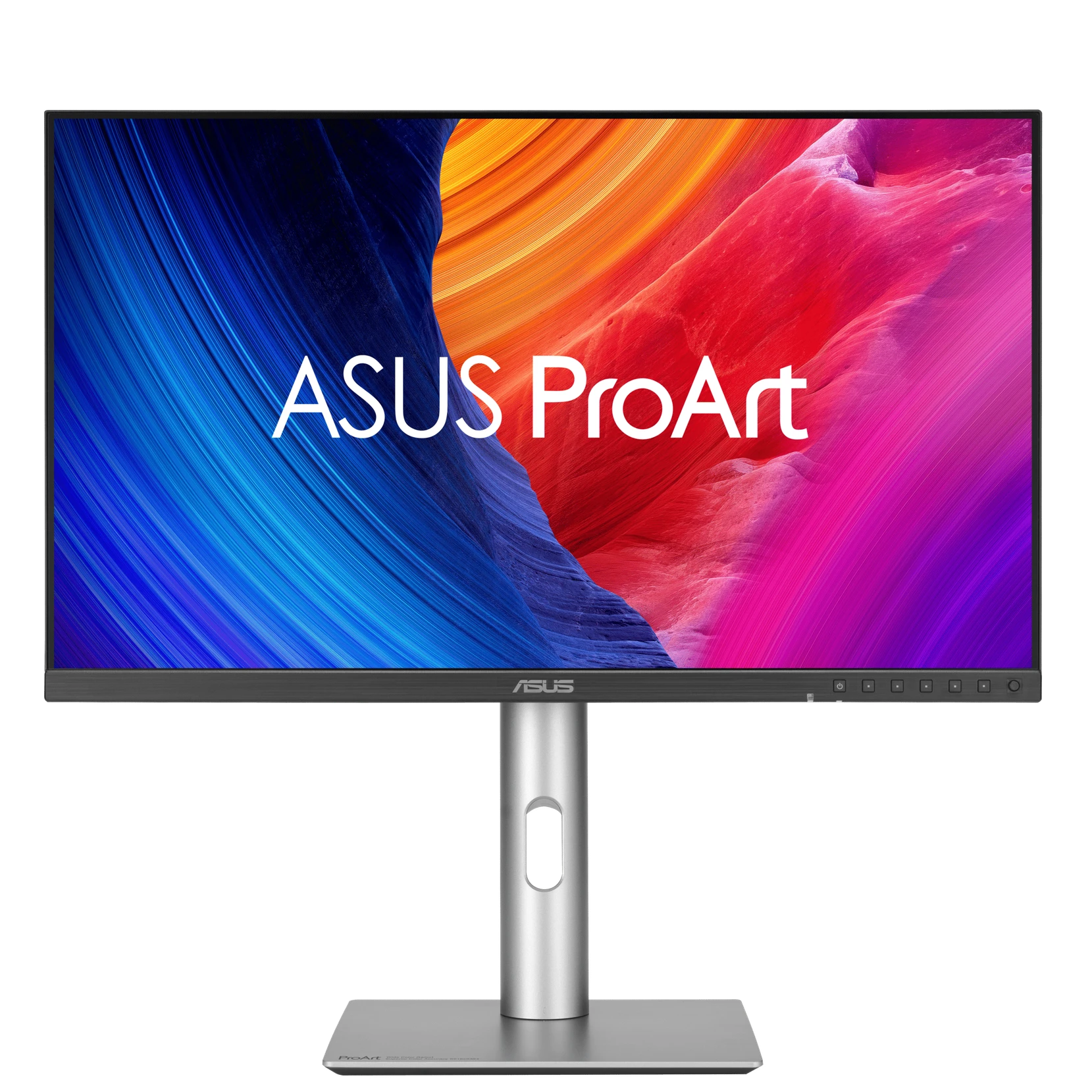
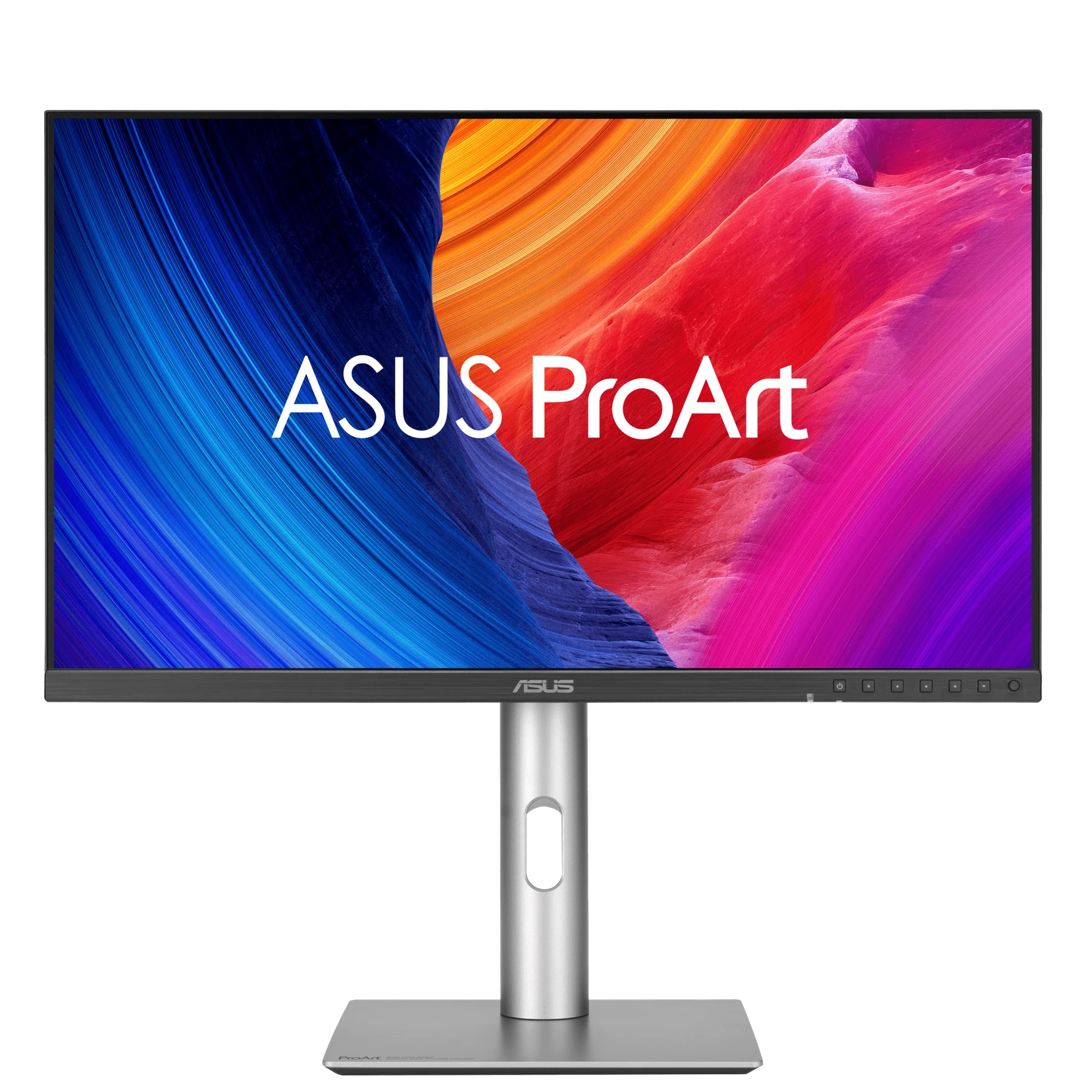
ASUS ProArt Display 5K PA27JCV

27" • 5120x2880 • 60 Hz • IPS

No reviews yet

The Kacbu Global score is the average of user ratings; it will appear here once this product has collected enough ratings.

27"Screen Size
5120x2880Resolution
60 HzRefresh Rate
IPSPanel Type
FROM AROUND THE WORLD
Be the first to share an opinion on this product.Have you used this product? Share your experience — help users all over the world make a better decision.

KACBU

Should I buy it?

ASUS ProArt Display 5K PA27JCV
CONSIDER
  • No real owner data yet — the verdict stays cautious
Great choice if these matter:
  • Photography and design work headed to print
  • High resolution on a small desk
  • A single-cable laptop desk
Watch out for:
  • No headphone output — audio needs its own solution
  • 60 Hz refresh and a 5 ms response time; motion is not this panel's job
Regret riskLOWlimited data
Main risks
  • No headphone output — audio needs its own solution
  • 60 Hz refresh and a 5 ms response time; motion is not this panel's job
The risk level is computed from the release date, verified weaknesses and real owner reports. The confidence score only appears once real owner data exists.
This box relies only on verified specs, the release date and real owner reports. We do not predict prices.
Global OpinionKacbu ScoreWhat the World SaysDisplayResponseGamingConnectivityStandLaunchSpecificationsFAQQ&AWrite a ReviewAlternatives
Kacbu Global Opinion

What does the world think about this product?

Instead of compressing opinions from different countries into a single score, we show overall satisfaction alongside country-by-country trends.

No reviews yet for this product. Be the one to write the first — the country breakdown starts forming with the first reviews.

Kacbu Score

How many stars are users giving?

The rating distribution will be published here once enough reviews come in.

This product hasn't been rated yet.

What the World Says

User reviews from around the world

Real reviews, written in the author's own language.

No reviews yet — be the first to write one.

Display

What does the display offer?

Manufacturer's official technical values.

DISPLAY

On a monitor, the panel is what you are buying.

27 "

27" — Screen Size · IPS — Panel Type · 5120x2880 — Resolution · 60 Hz — Refresh Rate

27"IPS5120x288060 Hz
27"Screen Size
IPSPanel Type
5120x2880Resolution
60 HzRefresh Rate
Response

How fast does it respond?

Makers put GtG and MPRT figures in the same column; this catalogue records which one it is.

RESPONSE

A response time is not a number until it says how it was measured.

5 ms

5 ms — Response time · GtG — Response time measurement · AGLR (Anti-Glare, Low-Reflection) — Anti-reflective coating

5 msGtGAGLR (Anti-Glare, Low-Reflection)
5 msResponse time
GtGResponse time measurement
AGLR (Anti-Glare, Low-Reflection)Anti-reflective coating
Gaming

What is there for gaming?

Manufacturer's official technical values.

GAMING

Adaptive sync is not one feature.

Adaptive-Sync — Variable refresh rate (VRR)

Adaptive-Sync
Adaptive-SyncVariable refresh rate (VRR)
Connectivity

Which inputs does it carry?

Manufacturer's official technical values.

CONNECTIVITY

A USB-C port that carries video is not the same as one that charges a laptop.

96 W

1 — HDMI inputs · HDMI 2.1 — HDMI version · 1 — DisplayPort inputs · 96 W — USB-C Power Delivery · Yes — KVM switch · No — Headphone out

1HDMI 2.1196 WYesNo
1HDMI inputs
HDMI 2.1HDMI version
1DisplayPort inputs
96 WUSB-C Power Delivery
YesKVM switch
NoHeadphone out
Stand and ergonomics

How far does the stand adjust?

Manufacturer's official technical values.

STAND AND ERGONOMICS

What decides the hours spent at the desk.

0 ~ 130 mm

0 ~ 130 mm — Height adjustment · +23° ~ -5° — Tilt · +30° ~ -30° — Swivel · +90° ~ -90° — Pivot

0 ~ 130 mm+23° ~ -5°+30° ~ -30°+90° ~ -90°
0 ~ 130 mmHeight adjustment
+23° ~ -5°Tilt
+30° ~ -30°Swivel
+90° ~ -90°Pivot
Who Is It For?

Where does it stand out?

A quick usage guide built from the product's specs and the editorial summary.

Photo / Video

Photography and design work headed to print

Great fit
Work / Productivity

High resolution on a small desk

Great fit
Work / Productivity

A single-cable laptop desk

Great fit
Editorial Analysis

Strengths and points to consider

Compiled by the Kacbu editorial team from spec sheets, independent press reviews and reported user feedback.

Strengths based on the specs
5120x2880 resolution, 218 PPI on a 27-inch panel
99% DCI-P3 and 95% Adobe RGB coverage
500 cd/m² peak brightness in HDR
USB-C input with 96 W power delivery
Built-in KVM switch
Things to consider
No headphone output — audio needs its own solution
60 Hz refresh and a 5 ms response time; motion is not this panel's job
Historical Product Info

Official launch details

Instead of tracking today's retail price, Kacbu keeps the product's official launch information as a reference.

ASUS designs its displays in Taiwan. Its specification pages state no assembly country, so none is claimed here.

This is not the current retail price — it shows the product's historical, official launch information.
Specifications

ASUS ProArt Display 5K PA27JCV specifications

Click a linked value to see other products that share that same spec, and leave a comment on that spec.

Display

Official source: asus.com
Screen Size
Display Technology
Panel Type
Resolution
Refresh Rate
Backlight
LED
HDR formats
HDR10
Brightness
400 cd/m²
Colour Gamut
100% sRGB95% Adobe RGB99% DCI-P3
Anti-reflection coating
AGLR (Anti-Glare, Low-Reflection)
Contrast ratio
1500:1
Pixel Density
218 PPI
Aspect Ratio
16:9
Response Time
5 ms
Response time measurement
GtG
Screen Area
596.74 × 335.66 mm
Display Features
VESA DisplayHDR 500
HDR Peak Brightness
500 cd/m²

Gaming

Official source: asus.com
Variable refresh rate (VRR)
Adaptive-Sync

Connectivity

Official source: asus.com
HDMI inputs
1
HDMI version
HDMI 2.1
DisplayPort inputs
1
DisplayPort version
DisplayPort 1.4
USB-C Power Delivery
KVM switch
Yes
USB hub
1× USB 3.2 Gen 1 Type-C3× USB 3.2 Gen 1 Type-A
Headphone out
No
USB-C video input
1× USB-C (DP Alt Mode)

Audio

Official source: asus.com
Speakers
2 × 2 W

Stand and ergonomics

Official source: asus.com
Height adjustment
0 ~ 130 mm
Tilt
+23° ~ -5°
Swivel
+30° ~ -30°
Pivot
+90° ~ -90°

Design

Official source: asus.com
VESA mount
100 × 100 mm
Depth
44.1 mm
Width
612.2 mm
Height
362.9 mm
Weight
4.14 kg
Depth (with stand)
215 mm
Width (with stand)
612.2 mm
Height (with stand)
538.1 mm
Weight (with stand)
5.91 kg

Power

Official source: asus.com
Power Consumption
31.04 W

General

Official source: asus.com
Series
ProArt
Segment
Professional
FAQ

The most common questions about this product

What the numbers on the spec sheet actually mean in day-to-day use.

Should you buy the ASUS ProArt Display 5K PA27JCV?
The Kacbu decision box currently says CONSIDER for the ASUS ProArt Display 5K PA27JCV: the specs hold up, but there are not yet enough real owner reports to strengthen the call. Pros, cautions and alternatives are in the decision box at the top of this page.
Q&A

What are users asking each other?

If there's something specific to your own use case, ask — people who use this product will answer.

Have a question about ASUS ProArt Display 5K PA27JCV?Be the first to ask

No questions yet — be the first to ask.

Shared Hardware

Products that share this hardware

This product's standout specs. You can jump to other models that use the same value.

Join the Community

What do you think of ASUS ProArt Display 5K PA27JCV?

Share your experience in your own language. Kacbu connects your opinion with users across different regions of the world.

GLOBAL COMMUNITY

Your opinion could help someone on the other side of the world.

The experiences of people who actually use the product are at the heart of Kacbu. A short, honest, genuine review is enough.

  • Mention your country and how long you've used it
  • Write what you like and dislike most
  • Write in your own language
  • Help the community decide
Create an account, earn points, and keep your reviews tied to your name.
Alternatives

Products the global community compares this to

Other products in the same category.

Have you used this product?The world is waiting for your opinion.